Download the wg8 App — Fast, Free, Built for Bangladesh
The wg8 app puts cricket betting, live casino, and instant bKash deposits in your pocket. One tap to load, one tap to bet. Android APK available now — no app store required.
Scan the QR code on the right with your phone camera to start the download immediately. No need to type any address.
Scan to download wg8.apk
What You Get in the wg8 App
Six reasons Bangladesh players prefer the wg8 app over a desktop browser. Each feature is designed around mobile-first play.
Cricket & Sports Betting
Bet on BPL, IPL, T20, and ODI matches with live in-play odds. Markets update in real time. Swipe to browse upcoming fixtures, tap to place a bet in under 10 seconds. Pre-match accumulators available across cricket, football, and kabaddi.
Live Casino with Real Dealers
Join live Baccarat, Roulette, and Dragon Tiger rooms streamed in HD. Sexy Gaming and Ezugi tables run 24 hours with Bangla-speaking hosts. Chat with the dealer, watch the action on your phone screen, and bet from as little as ৳5.
Crash & Instant Games
Spribe's Aviator and Tower crash games run smoothly on Android with low-latency connections. Set auto-cashout, watch the multiplier climb, and cash out before the crash. Rounds take seconds — perfect for short sessions between overs.
bKash & Nagad Deposits
Fund your account through bKash, Nagad, Rocket, or Upay without leaving the app. Minimum deposit is ৳500. Money lands in your wallet within 2 minutes. Withdrawals from ৳1,000 process in about 15 minutes — directly to your mobile wallet.
Push Notifications
Never miss a match start, goal alert, or bonus offer. The app sends push notifications for live score updates, your pending withdrawal status, and new promotions. You control which alerts you receive inside the app settings menu.
Lightweight & Fast
At just 32 MB the wg8 app installs quickly even on a slow connection. It runs on Android 6.0 and above, including budget phones. Pages load faster than the mobile browser because the app caches game assets locally after the first session.
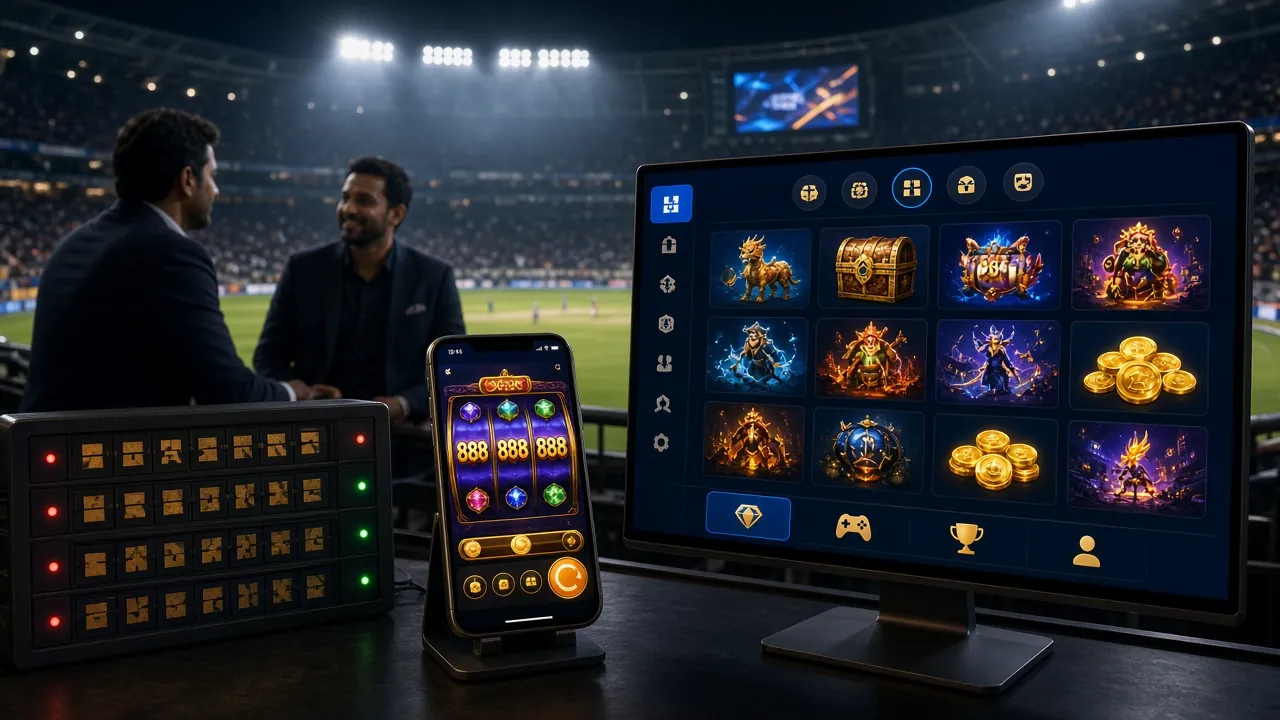
Install wg8 APK on Android
The wg8 app is distributed as an APK file — not through the Play Store. Follow these five steps carefully. The whole process takes about three minutes on a standard Grameenphone or Robi connection.
-
1
Allow Installation from Unknown Sources
Go to Settings → Security → Install Unknown Apps on your Android phone. Find your browser (Chrome or Samsung Internet) and toggle "Allow from this source" to on. This setting only affects files from your browser — not the whole phone. You can turn it off again after installing.
-
2
Download the APK File
Tap the "Download APK" button on this page. Your browser will download
wg8.apk(32 MB) to your Downloads folder. Wait for the progress bar to reach 100% before moving on. On a 4G connection this typically takes under 20 seconds. -
3
Open the Downloaded File
Pull down your notification shade. Tap the completed download — wg8.apk. Alternatively open your Files app, go to Downloads, and tap the file there. Android will ask "Do you want to install this application?" Review the permissions shown and tap Install.
-
4
Wait for Installation to Complete
The install takes 10–20 seconds. When you see "App installed", tap Open to launch immediately, or find the wg8 icon on your home screen. You do not need to create a shortcut manually — the installer places the icon automatically.
-
5
Log In or Register
Open the wg8 app. If you already have an account, tap Log In and enter your phone number and password. New players: tap Register, fill in your details, and claim your welcome bonus. The full process takes under two minutes. You can also visit wg8 Register on the web first.
iOS Users: Add to Home Screen
Apple does not allow direct APK installs. Use this method to get a near-native experience on iPhone or iPad without any download.
- Open Safari and go to wg8.guru.
- Tap the Share button at the bottom of the screen (the box with an arrow pointing up).
- Scroll down and tap "Add to Home Screen".
- Name it "wg8" and tap Add.
- The wg8 icon now appears on your home screen. Tap it to open the full site as a full-screen web app — no browser address bar.
Note: Safari must be used for this — Chrome on iOS does not support Add to Home Screen the same way.
- SSL Encrypted
- 18+ Only
- 24/7 Support
- bKash & Nagad
Version Info & System Requirements
Always download the latest version directly from wg8.guru to get the newest features and security patches. The app file is named wg8.apk.
| Property | Details |
|---|---|
| App Name | wg8 |
| Version | 2.0.18 |
| File Name | wg8.apk |
| File Size | 32 MB |
| Platform | Android |
| Min Android Version | Android 6.0 (Marshmallow) |
| Last Updated | 3 November 2026 |
| Price | Free |
| Languages | English, Bangla |
| Installation Source | Direct APK (not Play Store) |
Download the APK Now
FreeFile: wg8.apk · Size: 32 MB · Version: 2.0.18
Download wg8.apkBy downloading you confirm you are 18 or older and accept the Terms & Conditions. This APK is the official wg8 file — scan it with any antivirus if you wish.
Compatible Devices
- Samsung Galaxy A-series, M-series, S-series
- Xiaomi Redmi Note, POCO series
- Realme, Oppo, Vivo budget & mid-range
- Walton Primo (Android 6.0+)
- Any Android phone with 1 GB RAM or more
wg8 App vs Mobile Browser
Both options give you full access to the wg8 platform. This table shows where the app has a practical edge for daily Bangladesh players.
| Feature | wg8 App (APK) | Mobile Browser |
|---|---|---|
| Load Speed | Faster (cached assets) | Depends on network |
| Push Notifications | Yes — live score & bonus alerts | Not available |
| Offline Game History | View bet history offline | Requires internet |
| One-Tap Login | Fingerprint / PIN unlock | Manual password entry |
| bKash Deep Link | Opens bKash app directly | Copy-paste required |
| Data Usage | ~30% less data per session | Full page reload each time |
| Live Casino Quality | Stable HD stream | Good on strong Wi-Fi |
| Installation Required | Yes — one-time 32 MB | No install needed |
| iOS Support | Android only | Works on iPhone/iPad |
| Cost | Free | Free |
iOS players: use the "Add to Home Screen" method in Safari for the closest experience to a native app.
Play These Games in the App
View All GamesThe wg8 app carries over 4,000 titles from JDB, PG Soft, Sexy Gaming, Ezugi, Spribe, Playtech, and FA Chai. Here is a sample of popular picks.
 Fishing
Mermaid Fishing
Playtech · RTP 97.5%
 Slots
Monster Dice
PG Soft · RTP 97.3%
Mahjong Ways 2
PG Soft · RTP 95.2%
King of Fishing
JDB · RTP 96.7%
Wild Bounty Showdown
JDB · RTP 97.4%
Diamond Tycoon
Ezugi · RTP 97.5%
Keno Bonus Number
Playtech · RTP 97.3%
Tower
Spribe · RTP 96.2%
All 4,000+ games available in the app are also accessible through the wg8 Casino page on desktop.
Security & App Permissions
The wg8 app requests only the permissions it genuinely needs. Here is what each permission does and why it is asked for.
SSL Encrypted Traffic
All data between your phone and wg8 servers travels over TLS 1.3 encryption. Your login credentials, deposit amounts, and personal details are never sent in plain text. The same encryption standard used by Bangladeshi banks applies here.
Storage Permission
The app needs storage access to save your session token and cache game assets locally. This reduces data usage on repeat visits. The app does not read your photos, contacts, or documents — only its own app folder inside Android's sandboxed storage.
Internet & Network State
Required to connect to game servers, load live odds, and process deposits. Network state permission lets the app detect when your connection drops and pause live bets automatically — preventing accidental losses during a disconnect mid-game.
Notifications Permission
Optional — you can decline this and the app still works fully. If granted, you receive match-start alerts, withdrawal confirmations, and new bonus notifications. You can turn specific notification types on or off inside the app's Settings at any time.
Official source only. Always download wg8.apk from this page — wg8.guru/wg8-app/. Third-party APK sites may distribute modified files. If a file asks for camera, microphone, or contacts permission, do not install it — the genuine wg8 app does not need those.
Common Install Problems & Fixes
If something goes wrong during installation, check this table first. Most issues resolve in under a minute.
| Problem | Likely Cause | How to Fix |
|---|---|---|
| "Install blocked" message | Unknown sources setting is off for your browser | Go to Settings → Security → Install Unknown Apps, find your browser app, and enable it. Then tap the APK again. |
| "App not installed" error | Corrupted or incomplete download | Delete the existing wg8.apk from your Downloads folder. Re-download from this page on a stable Wi-Fi or 4G connection. Do not interrupt the download. |
| App crashes on launch | Older Android version or low RAM | Confirm your device runs Android 6.0 or above (Settings → About Phone → Android Version). Close background apps to free RAM, then relaunch wg8. |
| Download stops at partial progress | Unstable mobile data or insufficient storage | Check you have at least 50 MB free storage. Switch to Wi-Fi or a stronger signal area. Restart the download — the browser will resume from where it left off. |
| Login fails after install | No account yet, or wrong credentials | If you are new, go to wg8 Register to create an account first. If you have an account, use wg8 Login to reset your password via the "Forgot Password" link. |
Still stuck? Contact 24/7 Live Chat inside the app or email [email protected] with your device model and Android version.
Frequently Asked Questions
Quick answers about the wg8 app — download, safety, updates, and account access.
Log In to AppCreate Account
Download the wg8 App — Free APK for Android
One file, no app store needed. Install in under two minutes and bet on cricket, spin slots, or join a live dealer table — all from your Android phone.
-
Instant bKash & Nagad deposits — fund your account from inside the app in under 2 minutes. Minimum ৳500.
-
Live cricket odds update in real time — BPL, IPL, T20, and ODI markets available during every match.
-
Secure & lightweight — 32 MB download, SSL-encrypted, no bloatware. Runs on Android 6.0 and above.
-
24/7 support built in — tap the chat icon anytime to reach the live support team directly from the app.
Before installing, go to Settings → Security → Unknown Sources and enable it. This is required for all APK files outside the Play Store.
Is the wg8 APK file safe to install?
Yes. The APK distributed from this page — wg8.guru/wg8-app/ — is the official build. It is scanned before each release and requests only storage, internet, and optional notification permissions. If you want extra confidence, scan the downloaded file with a reputable antivirus such as Bitdefender Mobile or Malwarebytes before installing. Never download wg8.apk from third-party APK mirror sites.
Why isn't the wg8 app on Google Play Store?
Google Play Store prohibits real-money gambling apps in Bangladesh's region. This is a platform policy, not a reflection of the app's legitimacy. Thousands of sports betting platforms across South Asia distribute via direct APK for exactly this reason. The wg8 app is functionally identical to what you would find in a regulated app store — just downloaded differently.
How do I update the wg8 app to the latest version?
When a new version is available, you will see an in-app banner prompting you to update. Tap the banner and it will open this page — wg8.guru/wg8-app/. Download the new APK and install it over the existing version; your account data and settings are preserved. The current version is 2.0.18, last updated 3 November 2026.
Can I use the same account on the app and the website?
Yes. Your wg8 account works across all platforms — the Android app, the iOS web app (Add to Home Screen), and the full desktop site. Your balance, bet history, bonuses, and VIP tier are shared in real time. Log in with the same phone number and password everywhere. There is no separate app account to create.
What if my phone shows "Parsing error" during install?
A parsing error almost always means the APK file downloaded incompletely. Delete the file, ensure you have at least 50 MB of free storage, switch to a reliable Wi-Fi connection, and download again from this page. If the error repeats, restart your phone and try once more. Contact live chat if the issue persists — share your device model and Android version.
Does the wg8 app work on a tablet?
Yes. Any Android tablet running Android 6.0 or above can install and run the wg8 app. The interface scales to larger screens, making it comfortable to play live casino games and browse sports markets on a 7–10 inch display. The APK file is the same for phones and tablets — no separate version needed.
How do I deposit using bKash inside the app?
Open the app and tap Deposit in the main menu. Select bKash as your payment method, enter your amount (minimum ৳500), and tap Confirm. The app opens the bKash payment screen directly — enter your bKash PIN and the transaction completes. Funds appear in your wg8 wallet within 2 minutes. For full deposit instructions visit the wg8 Deposit Guide.
Get the wg8 App.
Bet on Cricket. Win in BDT.
Download the APK, register your account, and place your first bet on BPL or IPL in under five minutes. Deposit with bKash from ৳500. Welcome bonus on your first deposit.